Place object between existing objects
With Smart Modeling, you can quickly place objects between existing objects.
Procedure. Procedure
In an open model, select the object that is connected to another object. The
 Insert icons are displayed.
Click the
Insert icon of the direction in which the selected object is connected to the other object.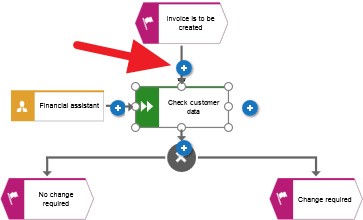
The Smart Modeling toolbar opens.
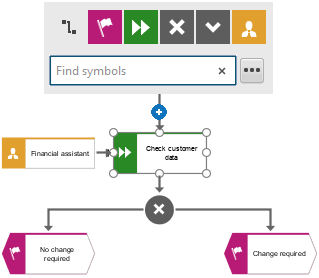
Click the object you want to place between the existing objects. The object is placed between the existing object and new connections are created between the three objects.
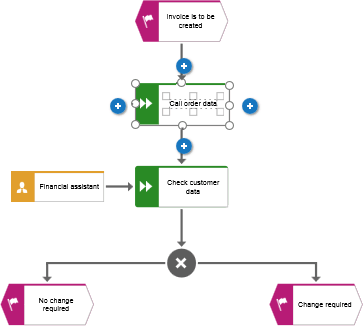
With Smart Modeling, you have quickly placed an object between existing objects.