Move a lane
You can move a lane.
When you move or delete objects the size of pools and lanes adjusts automatically.
Lanes and pools can only be selected by clicking their border or name as soon as objects are placed in them. When you delete a lane, the size of the pool (or the wrapper lane) decreases automatically.
Procedure. Procedure
Open a BPMN diagram.
Click a lane.
Activate the BPMN tab bar.
For horizontal alignment select
 Pool and lane >
  Lane up or Pool >
  Lane down or for vertical alignment Pool and lane >
  Lane to the left or Pool and lane >
  Lane to the right.
You have moved a lane.
Tip
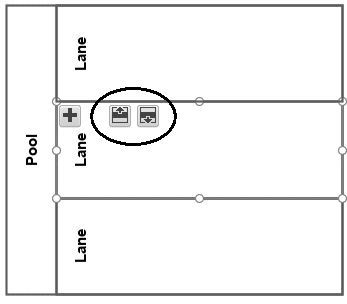
To move a lane, you can also select the lane you want to move and click the icon displayed directly in the lane.