Work with cell references across sheets
You can refer to cells in other sheets and use their content in the calculation.
Procedure. Procedure
Open a spreadsheet.
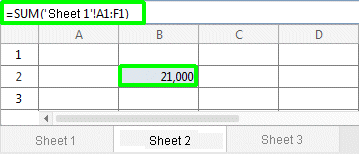
Enter the relevant formula with the reference to another sheet as shown in the example, for example, =SUM('Sheet 1'!A1:F1).
In general, the entry is made in the following way: =SUM('<sheet name>'!<cell name1>:<cell name2>).
The values from the sheet defined in the formula are used for the calculation.
Example 36.
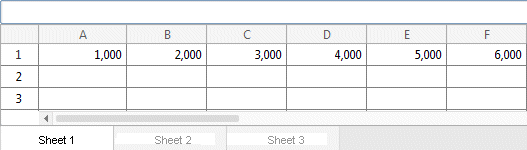
The relevant values for the calculation are located on sheet 1:
The calculation is carried out on sheet 2: